Microsoft is improving the Windows Virtual Desktop management experience, Teams, and more. Microsoft continues to make changes to improve the overall Windows Virtual Desktop experience for users—those working remotely and in-office. Check out the new features and what’s next for Windows Virtual Desktop here.
Windows Virtual Desktop provides the most productive and most secure experience for users. Get up and running with this best-in-class Microsoft program by watching these how-to videos.
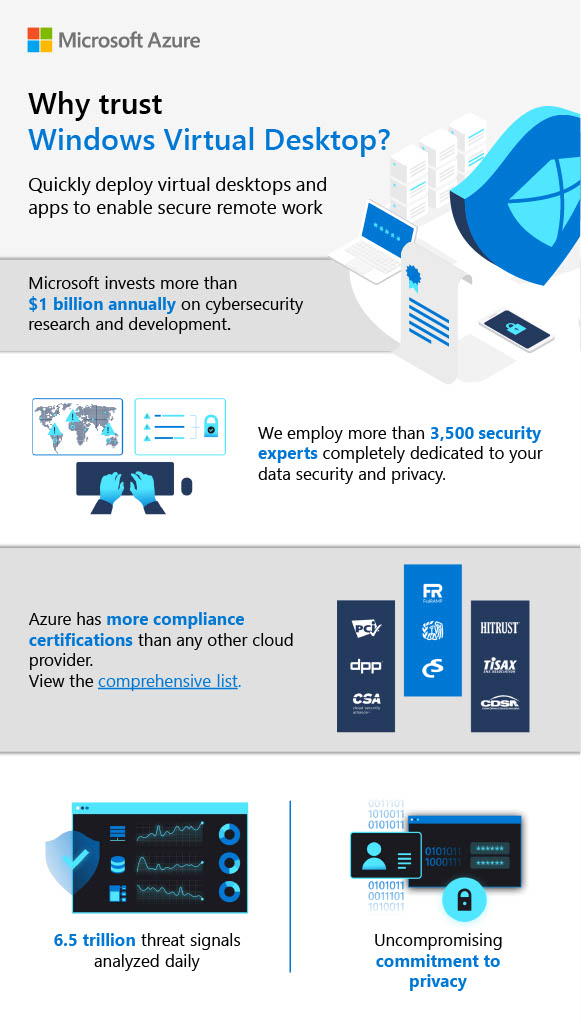
Quickly deploy virtual desktops and apps to enable secure remote work. Microsoft continues to invest in cybersecurity research and development and makes changes to improve the overall Windows Virtual Desktop experience for employees. Learn how this program can be a tool to keep your workload safe.
Optimize your cloud experience while lowering costs for Windows Server desktops and apps. Don’t miss out on all the amazing features Windows Virtual Desktop has to offer. Subscribe now to learn more.
Enable your users to work from anywhere with confidence by controlling information access across different device endpoints and networks. Additionally, learn how you can benefit from new Microsoft Windows Virtual Desktop features to enhance meeting experiences and ensure cost effectiveness.