What if you could see every warehouse, every order, and every unit from one screen?
For many Philippine businesses, that still sounds like a dream. Stock counts live in spreadsheets. Pickers walk the aisles with printed lists. The Cebu branch emails its numbers to Manila at the end of the day, and by then the numbers are already wrong.
The result is familiar to anyone who runs a warehouse. Orders ship late. Items go missing. Customers get the wrong product, and your team spends hours fixing mistakes instead of moving goods.
A modern warehouse management system in the Philippines changes that. Instead of chasing information, your team works from a single control room. Every scan, every order, and every stock movement shows up in real time, no matter which island your warehouse is on.
In this guide, we’ll explain what a warehouse management system (WMS) does, the warning signs that you’ve outgrown manual tracking, and the four features that turn a busy warehouse into a well-run operation. We’ll also share what to look for when you choose a system for your business.
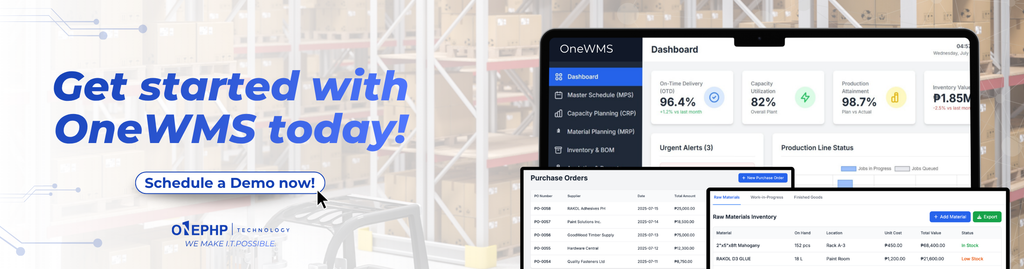
If you’d rather see it in action first, you can book a demo of OneWMS anytime.
What Is a Warehouse Management System?
A warehouse management system is software that tracks and controls everything that happens inside your warehouse. It records what comes in, where it is stored, what gets picked, and what goes out the door.
Think of it as the brain of your operations. Your shelves, forklifts, and people are the body. Without a brain connecting them, each part works on its own and mistakes slip through the gaps.
A good WMS usually handles these core jobs:
- Receiving: logging incoming stock the moment it arrives.
- Storage: knowing exactly which bin, rack, or bay each item sits in.
- Picking and packing: telling staff what to pick, from where, and in what quantity.
- Shipping: confirming that the right items leave for the right customer.
- Reporting: showing stock levels, order volume, and accuracy at a glance.
A WMS is a key part of wider supply chain management. When your warehouse data is accurate, your sales team can promise delivery dates with confidence, and your purchasing team knows exactly when to reorder.
It also differs from a basic inventory spreadsheet. A spreadsheet tells you what someone typed in last. A WMS tells you what is actually happening right now, because every action on the floor updates the system automatically.
5 Signs You’ve Outgrown Spreadsheets
Spreadsheets are a great starting point. But as your business grows, they quietly become the bottleneck. Here are five signs it’s time to upgrade.
- Your stock counts never match. The system says 50 units, the shelf has 38. Every cycle count turns into a hunt for missing items.
- Picking takes too long. Staff walk back and forth looking for products because nobody is sure where things are stored.
- Wrong items get shipped. A customer orders size M and receives size L. Each return costs you shipping fees, labor, and trust.
- Branches don’t talk to each other. Your Manila team can’t see what’s available in Davao, so you reorder stock you already have somewhere else.
- Reports arrive too late. By the time someone compiles the weekly summary, the problem it reveals has already cost you money.
If two or more of these sound familiar, your warehouse isn’t failing because your people aren’t working hard. It’s struggling because your tools can’t keep up with your growth.
The good news is that each of these problems has a direct fix. The next four sections show how.
Feature 1: Live Dashboards for Stock, Orders, and Accuracy
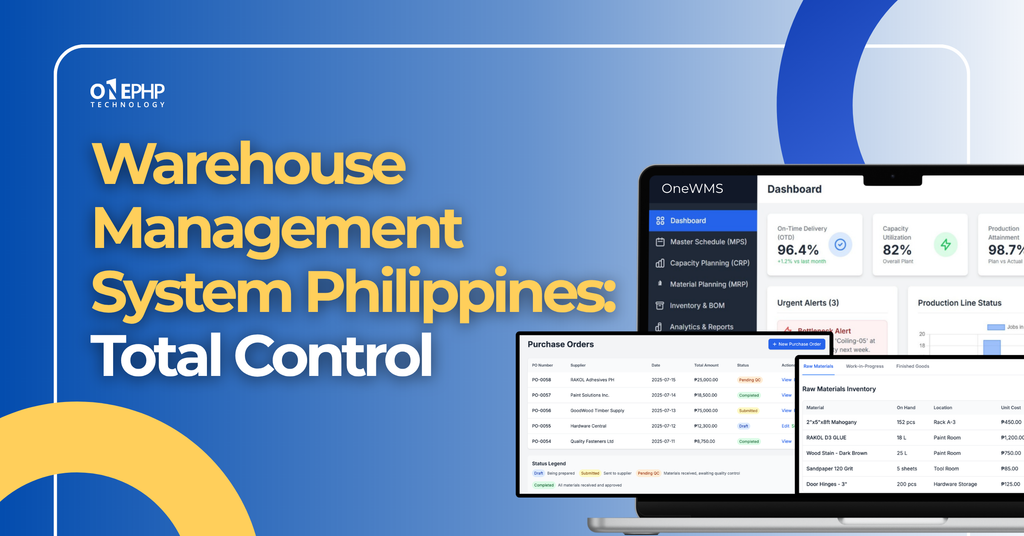
The heart of any control room is the screen everyone watches. In a WMS, that’s the live dashboard.
Instead of waiting for end-of-day reports, managers see the numbers that matter the moment they change:
- In stock: total units available right now, across all locations or filtered by site.
- Orders today: how many orders came in and how many are still waiting to be picked.
- Accuracy: how often picks and counts match what the system expects.
- Stock movement: a simple chart showing how inventory rises and falls over the week.
Why does this matter? Because decisions made on old data are guesses. If you can see that orders spiked this morning, you can move staff to packing before a backlog forms. If accuracy drops at one site, you can investigate the same day instead of discovering it at month-end.
Live dashboards also make good inventory management far easier. You can spot slow-moving items before they eat up shelf space, and catch fast sellers before they run out.
Most importantly, everyone works from the same numbers. No more debates over whose spreadsheet is correct.
Feature 2: Mobile Pick Lists With Barcode Scanning
Order picking is where most warehouse mistakes happen. A picker reads the wrong line, grabs the item next to the right one, or miscounts the quantity. Each small slip becomes a returned package.
Mobile pick lists fix this by putting clear instructions in the picker’s hand. Each order appears on a phone as a simple checklist:
- The SKU to pick, such as SKU-10482.
- The exact location, such as bay A-12.
- The quantity, such as 24 pieces.
The picker walks to the location, scans the item’s barcode, and the system confirms it instantly. If they scan the wrong product, the app flags it before it ever reaches a box. Once every line is checked off, the order moves to packing.
This approach brings three big wins:
- Fewer errors. The scanner, not memory, decides whether an item is correct.
- Faster training. New staff can start picking on day one because the app tells them where to go.
- Real-time updates. Every scan adjusts stock levels immediately, so the dashboard always reflects reality.
Barcodes follow global standards like those maintained by GS1, so most products you already carry are ready to scan. And because it works on a phone, you don’t need to buy expensive specialized hardware to get started.
Feature 3: Multi-Warehouse Sync Across Manila, Cebu, and Davao
The Philippines is an archipelago of more than 7,000 islands. For businesses that serve customers nationwide, that usually means running more than one warehouse, often in Luzon, the Visayas, and Mindanao.
That geography creates a real challenge. Each site may track stock in its own way, on its own schedule. Head office only learns what’s happening when someone sends an update, and by then it may already be out of date.
Multi-warehouse sync solves this. Every location feeds into the same system, so a scan in Cebu updates the dashboard in Manila within moments. With one filter, you can view all locations together or zoom in on a single site.
Here’s what that makes possible:
- Smarter order routing. Ship from the warehouse closest to the customer to cut delivery times and freight costs.
- Stock transfers instead of reorders. If Davao is low on an item that Manila has plenty of, move it instead of buying more.
- Consistent processes. Every branch follows the same receiving, picking, and shipping steps.
- Easier expansion. Opening a new site means adding a location to the system, not building a new process from scratch.
For a growing Philippine business, this is the difference between managing three separate warehouses and running one connected network.
Feature 4: Automated Fulfillment That Cuts Errors and Delays
Order fulfillment covers every step from the moment a customer places an order to the moment it arrives. When those steps depend on manual handoffs, delays pile up quietly.
Automation removes those handoffs. When a new order comes in, the WMS can:
- Check which warehouse has the stock.
- Reserve the items so they can’t be sold twice.
- Generate a pick list and send it straight to a picker’s phone.
- Confirm each item with a barcode scan.
- Mark the order ready for packing and shipping.
Nobody has to print a list, retype an order number, or walk a form across the building. The system moves the work forward automatically, and your team focuses on picking, packing, and helping customers.
Automation also builds a clear record of every action. If a customer asks where their order is, you can see exactly which step it’s on. If something goes wrong, you can trace it back to the moment it happened and fix the root cause.
The outcome is simple: orders leave faster, fewer mistakes reach customers, and your team spends less time cleaning up problems.
What to Look For When Choosing a Warehouse Management System in the Philippines
Not every WMS fits every business. Before you commit, ask these questions.
Does it work on the devices your team already has? A system that runs on everyday smartphones lowers your upfront cost and lets you roll it out quickly.
Can it handle more than one location? Even if you have a single warehouse today, choose a system that can grow with you. Adding a second or third site should be simple.
Is it truly real-time? Some systems sync only a few times a day. Ask how quickly a scan on the floor appears on the dashboard.
Is it easy to learn? Your pickers shouldn’t need weeks of training. Look for clear screens, simple checklists, and big, obvious buttons.
Is local support available? A provider that understands Philippine business hours, logistics routes, and regional realities can respond faster when you need help.
Will it connect to your other tools? Your WMS should share data with your sales, accounting, or e-commerce systems so information flows without retyping.
At OnePHP Technology, we built OneWMS with these questions in mind. It’s designed for Philippine businesses that want enterprise-level control without enterprise-level complexity.
Frequently Asked Questions
Is a warehouse management system only for large companies? No. Small and mid-sized businesses often benefit the most, because every lost item or late order hurts a smaller margin more. A WMS helps you build good habits early, before growth makes problems harder to fix.
How long does it take to set up? It depends on the number of products and locations you have. A single-site setup can move quickly, especially when the system runs on phones your team already uses. Multi-site rollouts are usually done one location at a time.
Do I need special scanners? Not necessarily. Many modern systems, including OneWMS, let staff scan barcodes using a smartphone camera. Dedicated scanners are an option if your volume calls for them.
Can I still export my data to Excel? Yes. Most WMS platforms let you export reports, so your finance and planning teams can keep using the tools they know.
What’s the difference between a WMS and an ERP? An ERP manages the whole business, including finance, HR, and sales. A WMS focuses deeply on warehouse operations. Many businesses use both, with the WMS feeding accurate stock data into the ERP.
Take Total Control of Your Warehouse
Running a warehouse without real-time data is like flying a plane without instruments. You might stay in the air for a while, but every decision is a guess.
A warehouse management system gives you the control room your operations have been missing:
- Live dashboards for stock, orders, and accuracy.
- Mobile pick lists with barcode scanning.
- Multi-warehouse sync across Manila, Cebu, Davao, and wherever you grow next.
- Automated fulfillment that cuts errors and delays.
No more spreadsheet guesswork. No more lost stock. Just total control, in real time.
Ready to see how OneWMS can work for your business? Book a demo now and our team will walk you through it using real scenarios from your own warehouse. You can also learn more about our other solutions at OnePHP Technology.