Author: Kim Baluyot

Analytics & AI solution video

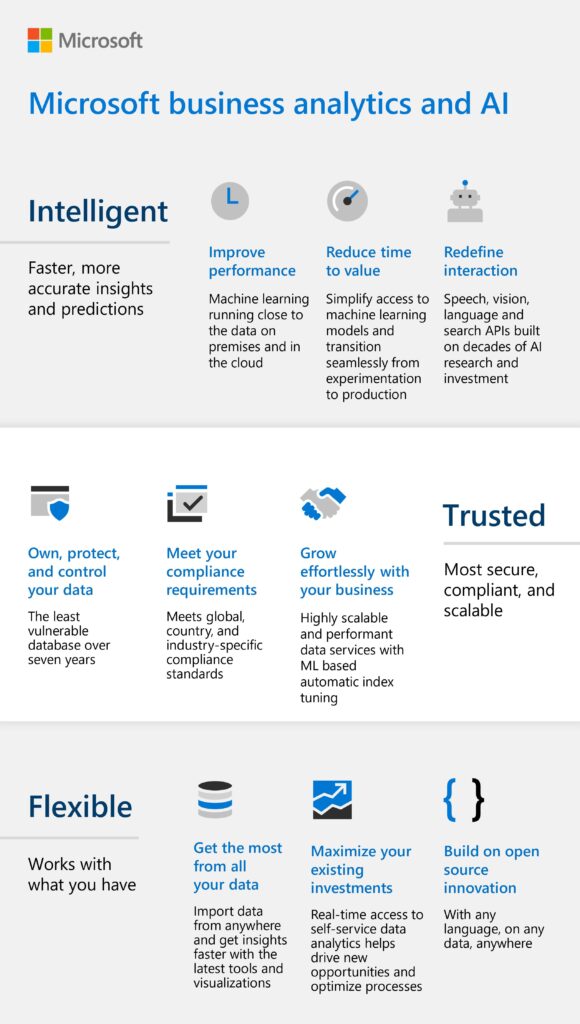
This video is a quick introduction to Microsoft Analytics and AI, explaining how to expand the reach of your data insights and gain increasing levels of efficiency and personalization. By harnessing the power of Microsoft Analytics, you can inform and drive intelligent automation through AI and machine learning.

The NFL Huddles with Microsoft Teams to Digitize Collaboration for Game Day

Everyone knows that teamwork is vital in the National Football League (NFL)—on the field and off. The arrival of COVID-19, however, pushed the league to reimagine how to collaborate behind the scenes. Executing hundreds of live events while preserving the gameday experience for online fans and business partners was a

Deepen and engage customers with AI

Microsoft Analytics and AI accelerates digital transformation that deepens engagement, predicts outcomes, and automates operations. Subscribe now!

Microsoft Teams Innovations Designed for Hybrid Work

Microsoft Teams empowers employees to interact on the spot with people all over the world. New features like chat, live reactions, and Whiteboard make the Teams meetings experience uniquely modern. Intelligent in-office cameras designed to enhance the presence of people can produce multiple video streams and create unique experiences for

Allstate transforms the customer experience with Azure AI

This video showcases how Allstate is transforming customer support with artificial intelligence. With Azure Cognitive Services, Allstate is capturing insights from customer calls to enable a more seamless customer experience.

Microsoft’s Windows Virtual Desktop spring refresh: What’s new and next

Microsoft is improving the Windows Virtual Desktop management experience, Teams, and more. Microsoft continues to make changes to improve the overall Windows Virtual Desktop experience for users—those working remotely and in-office. Check out the new features and what’s next for Windows Virtual Desktop here.

How-to Videos for Windows Virtual Desktop

Windows Virtual Desktop provides the most productive and most secure experience for users. Get up and running with this best-in-class Microsoft program by watching these how-to videos.

Why Trust Windows Virtual Desktop?

Quickly deploy virtual desktops and apps to enable secure remote work. Microsoft continues to invest in cybersecurity research and development and makes changes to improve the overall Windows Virtual Desktop experience for employees. Learn how this program can be a tool to keep your workload safe.

Subscribe Now

Optimize your cloud experience while lowering costs for Windows Server desktops and apps. Don’t miss out on all the amazing features Windows Virtual Desktop has to offer. Subscribe now to learn more.

New tools to help IT empower employees securely in a remote work world

Enable your users to work from anywhere with confidence by controlling information access across different device endpoints and networks. Additionally, learn how you can benefit from new Microsoft Windows Virtual Desktop features to enhance meeting experiences and ensure cost effectiveness.